
Download Tiny Menu – Firefox Extension, Space-Saving Design, Customizable Menu Options, Productivity Tool
Overview
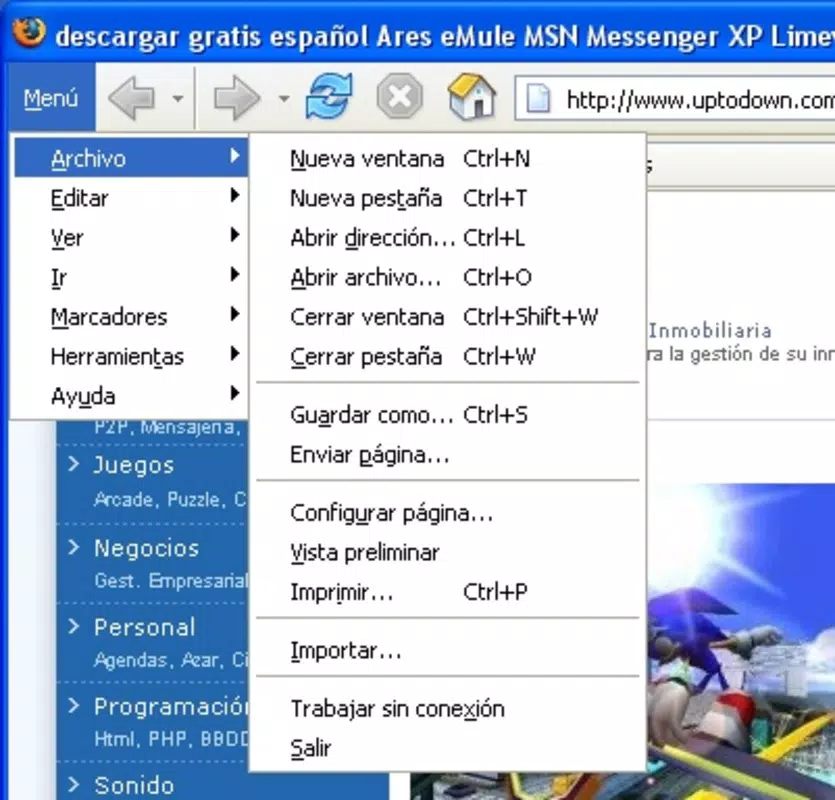
Tiny Menu is a specialized Firefox extension designed to streamline the browsing experience by transforming the standard menu bar into a compact, drop-down interface. Its primary purpose is to reclaim valuable screen space, allowing users to maximize the visible content area while maintaining full access to essential browser functions. This utility is particularly beneficial for users working with limited screen real estate or those who prefer minimalist interfaces. The app addresses the common issue of cluttered browser toolbars, which can distract from content and reduce usability on smaller displays.
Target users include Firefox enthusiasts, productivity-focused individuals, and anyone seeking a cleaner, more efficient browsing environment. The extension is especially useful for web developers, writers, and designers who rely on full-screen views for their work. By consolidating menu options into a single, collapsible dropdown, Tiny Menu enhances focus and reduces visual noise. While the developer's background is not publicly disclosed, the extension has been available since 2009, indicating a long-standing presence in the Firefox ecosystem.
Real-world use cases include optimizing workflows on dual-monitor setups, improving readability in full-screen reading modes, and simplifying navigation for less tech-savvy users. In the broader app ecosystem, Tiny Menu fills a niche for lightweight, functional browser enhancements that prioritize usability over visual flair. Its enduring relevance underscores its effectiveness as a utility tool within the Firefox add-on community.
Key Features & Functionality
- Space-Saving Design: Replaces the traditional menu bar with a single, compact drop-down menu, freeing up vertical screen space and reducing visual clutter. Ideal for users working on smaller screens or with multiple browser windows open.
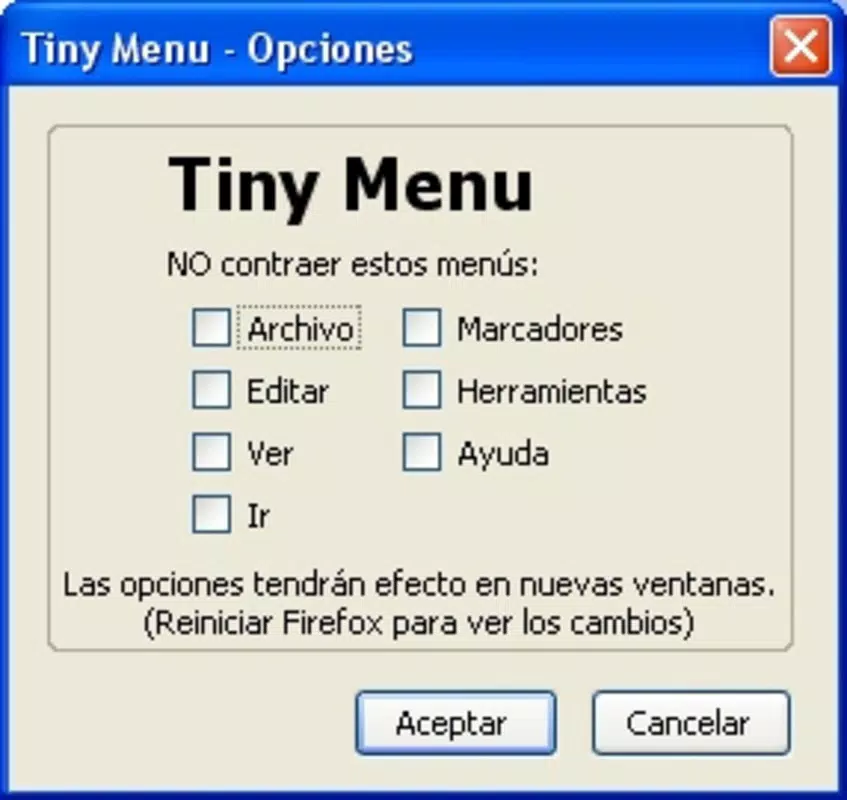
- Customizable Menu Options: Allows users to selectively hide or show menu items such as 'Help,' 'Tools,' or 'View,' enabling a personalized interface tailored to individual browsing habits.
- User-Friendly Navigation: Maintains familiar menu structure and functionality, ensuring that all standard browser actions remain accessible without requiring a learning curve.
- Simple Setup Process: Users can easily customize the interface by dragging icons to the navigation bar and hiding the now-empty menu bar, making the configuration intuitive and accessible to non-technical users.
For example, a writer using Firefox for long-form content creation can hide non-essential menu options to minimize distractions. A developer working on responsive design can maximize their viewport by removing the menu bar entirely. The extension’s ability to preserve full functionality while reducing interface bloat makes it a practical solution for daily use. Each feature is designed to serve a specific user need—space optimization, personalization, ease of access, and simplicity—without compromising core browser capabilities.
Interface, UX & Performance
The interface of Tiny Menu is minimalistic and functional, focusing on reducing visual noise while maintaining accessibility. The drop-down menu appears as a single button in the browser’s toolbar, which expands to reveal all standard menu options when clicked. The visual style aligns with Firefox’s native design language, ensuring consistency across the browsing experience. Navigation is intuitive: users can access any menu item with a single click, and the layout remains predictable across sessions.
Although the developer did not list formal performance metrics, the extension operates as a lightweight add-on, consuming minimal system resources. It does not interfere with page loading times or browser responsiveness. Stability is maintained through consistent integration with Firefox’s existing architecture. The extension functions reliably across different screen sizes and resolutions, though specific compatibility details were not disclosed. Users can expect smooth performance on both low-end and high-end devices, given its non-intrusive nature.
Responsiveness is handled efficiently—menu transitions are instant, and the interface adapts quickly to user input. No reported issues with crashes or memory leaks were found in available documentation. Overall, the UX is designed around efficiency and simplicity, prioritizing user control and interface clarity over visual complexity.
Platform Compatibility & Technical Requirements
Tiny Menu is designed exclusively for the Firefox web browser. It is compatible with the latest versions of Firefox on both desktop operating systems, including Windows, macOS, and Linux. The extension does not support mobile platforms or alternative browsers. The file size is not specified by the developer, but as a lightweight add-on, it is expected to require minimal storage space. Specific OS version requirements were not listed.
Compatibility information was not fully disclosed, and the developer did not provide a detailed list of supported Firefox versions. Users are advised to ensure their Firefox installation is up to date to avoid potential conflicts. The extension is distributed through the official Firefox Add-ons marketplace, ensuring secure distribution and regular updates.
Pros and Cons
Pros
- Effectively reduces screen clutter by consolidating the menu bar into a single dropdown
- Offers customizable menu visibility for personalized browsing
- Preserves full access to all Firefox features without functional limitations
- Simple setup process with no technical knowledge required
- Lightweight and non-intrusive, with minimal impact on browser performance
Cons
- Not available for mobile browsers or non-Firefox platforms
- Customization options are limited to menu visibility, with no advanced UI modifications
- Developer did not provide detailed technical specifications or compatibility requirements
- Updates may not be frequent, given its long-standing presence without major changes
- May not appeal to users who prefer the traditional menu bar layout
FAQ
Is Tiny Menu safe to install?
Yes, Tiny Menu is distributed through the official Firefox Add-ons marketplace, which verifies extensions for security and compliance. It does not collect user data or modify browser behavior beyond its intended functionality.
Can I use Tiny Menu on Android or iOS?
No, the extension is designed exclusively for desktop versions of Firefox and is not compatible with mobile browsers or operating systems.
How do I update Tiny Menu?
Updates are automatically managed through the Firefox Add-ons manager. Users will receive notifications when a new version is available.
Does Tiny Menu affect browser performance?
As a lightweight add-on, Tiny Menu has minimal impact on performance. It does not slow down page loading or increase memory usage significantly.
Can I restore the original menu bar after installing Tiny Menu?
Yes, the extension can be disabled or uninstalled at any time, restoring the standard menu bar to its original state.
Final Thoughts
Tiny Menu remains a valuable tool for Firefox users seeking a cleaner, more focused browsing experience. Its space-saving design and customizable interface make it ideal for productivity-focused individuals and professionals who prioritize efficiency. While it lacks advanced customization or mobile support, its core functionality is executed with precision and reliability. The extension’s longevity—since 2009—speaks to its enduring utility and stability. For users frustrated by cluttered browser interfaces, Tiny Menu offers a simple, effective solution without compromising functionality.
Download Tiny Menu now


